Your OpenRouter spend, at a glance.
RouterScope reads your own OpenRouter account and shows your spend, remaining credits, usage by model and your API keys, on iPhone and iPad. It never runs models and never spends your credits.
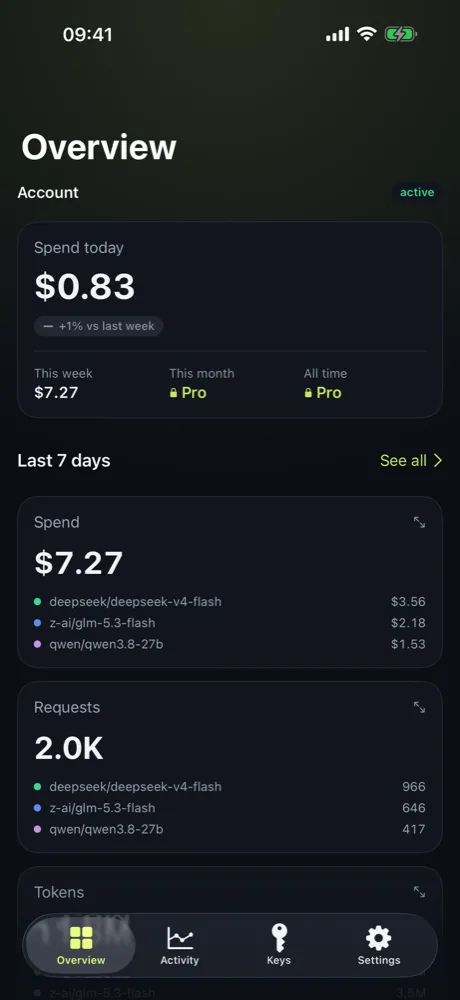
Spend today, this week and this month.
See what your OpenRouter account has spent, what is left, and which key spent it. The app only reads your account. It never runs a model or touches your credits.
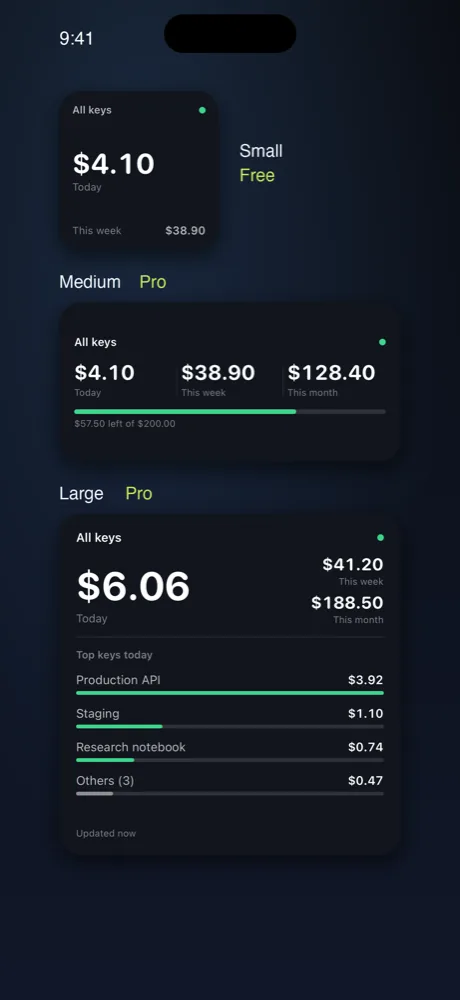
Spend on your Home Screen.
The small widget is free. Medium and large widgets add a budget bar and your top keys.
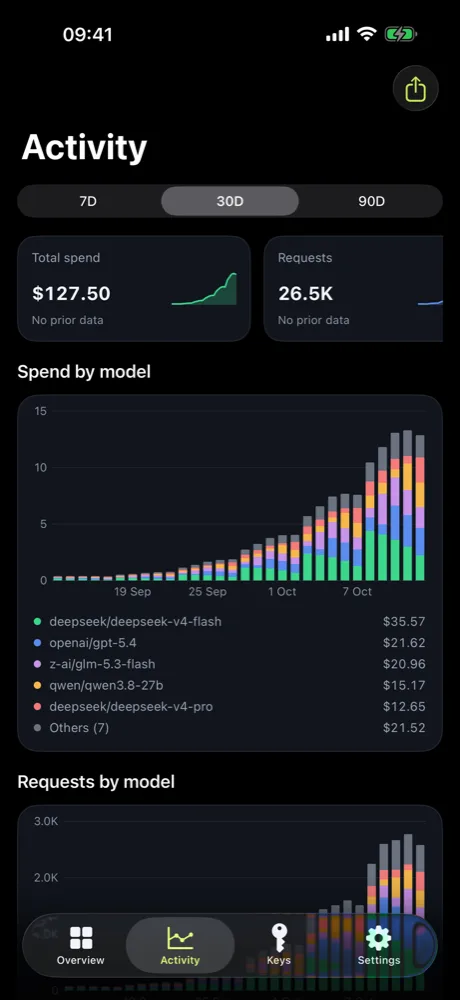
See which models cost you.
See spend and requests for each model, ranked, and spot the model using the most credits.
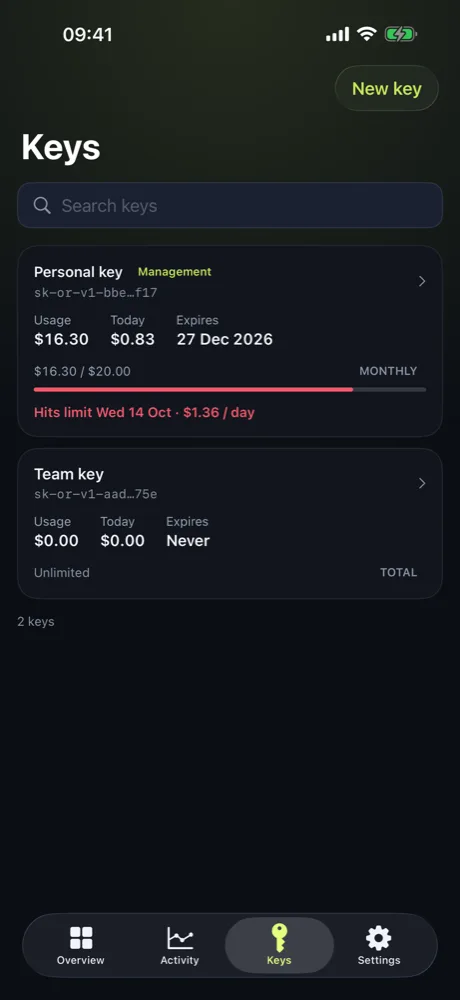
Know when a key runs out.
Each key has its own card with its limit, its usage and a forecast date for when you will hit the limit at your current pace.
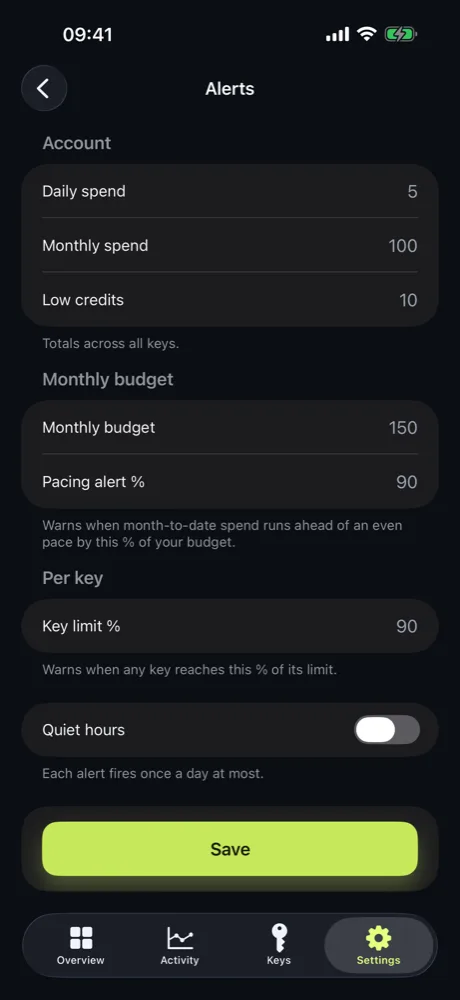
Set a budget. Stay on pace.
Set daily, monthly and per-key limits. RouterScope alerts you when your pace will overshoot one, and quiet hours silence alerts when you choose.
Every model, every day.
7, 30 and 90 day charts with a tooltip that follows your finger. Export a CSV or a monthly report from one menu.
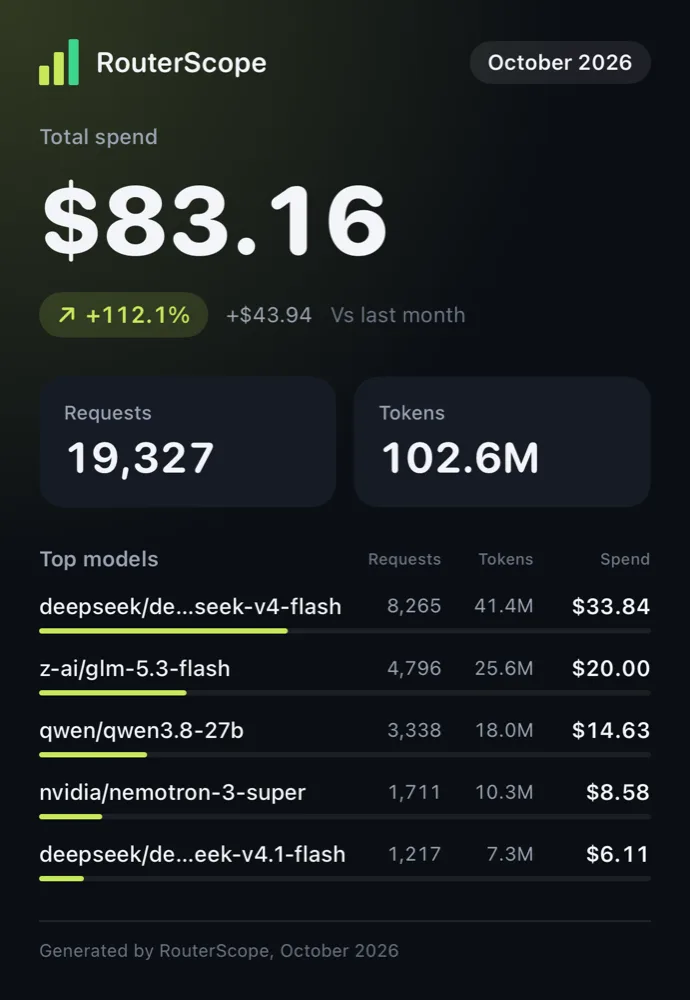
A monthly report worth sharing.
Spend, requests, tokens and top models on one card, as an image or a PDF. Send it to a client or your finance team.
Private by design.
- No account, no server.Nothing is sent to us.
- Keys stay on your device.Stored in the iOS Keychain and sent only to openrouter.ai.
- No analytics, ads or tracking.Read the Privacy Policy.
Free, with an optional Pro.
Free
- Spend today and over the last 7 days
- Credits and key limit for one API key
- Small Home Screen widget
- Face ID and passcode lock
Pro
- Budgets and pacing alerts that warn you before a key or your credits run out
- Medium and large Home Screen widgets
- Full activity: usage by model, monthly report and CSV export
- Multiple keys, each with a limit forecast
Pro is optional: Monthly, Annual (with a 7 day free trial for new subscribers) or a one-time Lifetime purchase. Prices are shown in the app before you buy. Subscriptions renew automatically unless cancelled at least 24 hours before the end of the current period. Manage or cancel any time in your Apple ID settings.